
Dime Dime Baby AI Prompt Guide: The 260-Word Prompt, Line by Line
The Dime Dime Baby AI prompt: the 260-word edit prompt our maker runs, what each of its five sentences does, and how one photo skips it, $9.90 for 720p.
 Dime Dime Baby AI Team11 min read
The Dime Dime Baby AI team: we watch every dime dime baby clip we write about, date every view count we quote, and show the trend with videos made on our own generator.

TL;DR — The Dime Dime Baby AI prompt is a 260-word, five-sentence edit prompt that puts the person from one photo into the 2025 party clip and keeps everything else. You'd paste it, alongside the clip and your photo, into a tool that edits a video you upload. On our maker it's built in, so you'll just add one photo to get a Dime Dime Baby AI Video for TikTok and Reels, and 720p is $9.90.
Posts about the trend often say it doesn't need a prompt, because a template or a website runs one for you behind the scenes.
Those hidden words carry real weight. They decide who leaves the party hall, what the new person wears and what stays untouched.
Here's our full prompt, followed by what each of its five sentences does for your video.
The Dime Dime Baby AI Prompt, Ready to Copy (260 Words)
Our maker sends the full Dime Dime Baby AI prompt below with every photo, word for word, as of October 21, 2026.
Edit the video. Replace the young man with short black hair in the black short-sleeved polo shirt with white lettering and round white logos and the long silver chain necklace, who walks up to the camera through the party holding a round sweet bun, with whoever is in @Image 1 (a person, or a cartoon or game character, or a pet when @Image 1 shows one): their face, hair, body and whole outfit come from @Image 1 only. They do not wear the black polo shirt, the white lettering and logos on its chest, sleeve and back, or the silver chain necklace, and do not have the young man's short black hair with the straight fringe or his small earring, unless @Image 1 shows them. Keep everything else exactly unchanged: every step and movement, the timing, the sweet bun in one hand and the phone in the other, each bite of the bun and the chewing, the stare straight into the lens, the turn and the dance away into the crowd, the handheld camera backing away in front of the dancer and then following behind, and its framing, the young man in the white long-sleeved shirt holding a clear cup, the woman in the red satin gown, the woman in the long ivory gown, the older man in the white long-sleeved shirt and jeans and everyone else at the party with their own faces, the white curtains, the flower centrepieces, the gold chairs, the dance floor and the pink, purple and green party lights. No captions or text on screen.In this text, @Image 1 (the name the prompt gives your photo) supplies the new dancer. The video it changes is the opening 9 seconds of the original 2025 clip, framed 9:16 (the tall frame TikTok and Reels use).
Sentence by Sentence: What the Dime Dime Baby AI Prompt Tells the Editor
The Dime Dime Baby AI prompt has five sentences, and each one has a single job.
Sentence 1: "Edit the video."
The opening sentence sets the mode with "Edit the video."
It's what makes this an edit prompt (instructions that change a video you give the tool, rather than making one from nothing). That single instruction tells the tool to work on the clip it's given, not to invent a brand-new setting.
Sentence 2: Swap the Dancer for @Image 1
The second sentence swaps the dancer in the hall for whoever's in your photo.
The prompt never uses a personal name, an account handle or a meme title. Instead, it picks him out only by what's on screen: his short black hair and his black short-sleeved polo shirt with white lettering and logos. It also names his silver chain necklace and the bread in his hand.
It tells the editor that "their face, hair, body and whole outfit come from @Image 1 only". So everything that identifies the new dancer comes straight from your photo.
Sentence 3: Leave His Look Behind
The third sentence strips away the original dancer's wardrobe and accessories, so they don't carry over onto the person in your photo.
It drops his black polo shirt, its white chest and sleeve logos, the silver chain necklace, the straight fringe and his small earring, "unless @Image 1 shows them".
Your photo keeps its own clothing from head to toe. If your photo shows a suit, dark jeans or a bright dress, that's the outfit you'll see on the dance floor.
Sentence 4: Keep Everything Else Exactly as It Was
The fourth sentence is a 129-word keep list, and it names every detail that has to stay the same.
- The moves: It keeps the dancer's path and the step timing, with "the sweet bun in one hand and the phone in the other". Each bite, the chewing, the stare into the lens, the turn and the dance away into the crowd stay as they are.
- The camera: The handheld view keeps its original motion and its framing. That's "the handheld camera backing away in front of the dancer and then following behind".
- The guests: Every background guest stays in place with their original look. That's the young man in the white long-sleeved shirt holding a clear cup, the woman in the red satin gown and the woman in the long ivory gown. It's also the older man in the white shirt and "everyone else at the party with their own faces".
- The room: The party hall isn't touched. Its white curtains, flower centrepieces, gold chairs, dance floor and pink, purple and green party lights all stay.
Sentence 5: "No captions or text on screen."
The final sentence keeps the picture clean: "No captions or text on screen."
It tells the editor not to add titles, subtitles or random floating letters across the dancing guests. And the videos our maker exports carry no watermark.
Because there's no text on the video, your own caption goes on top when you post.
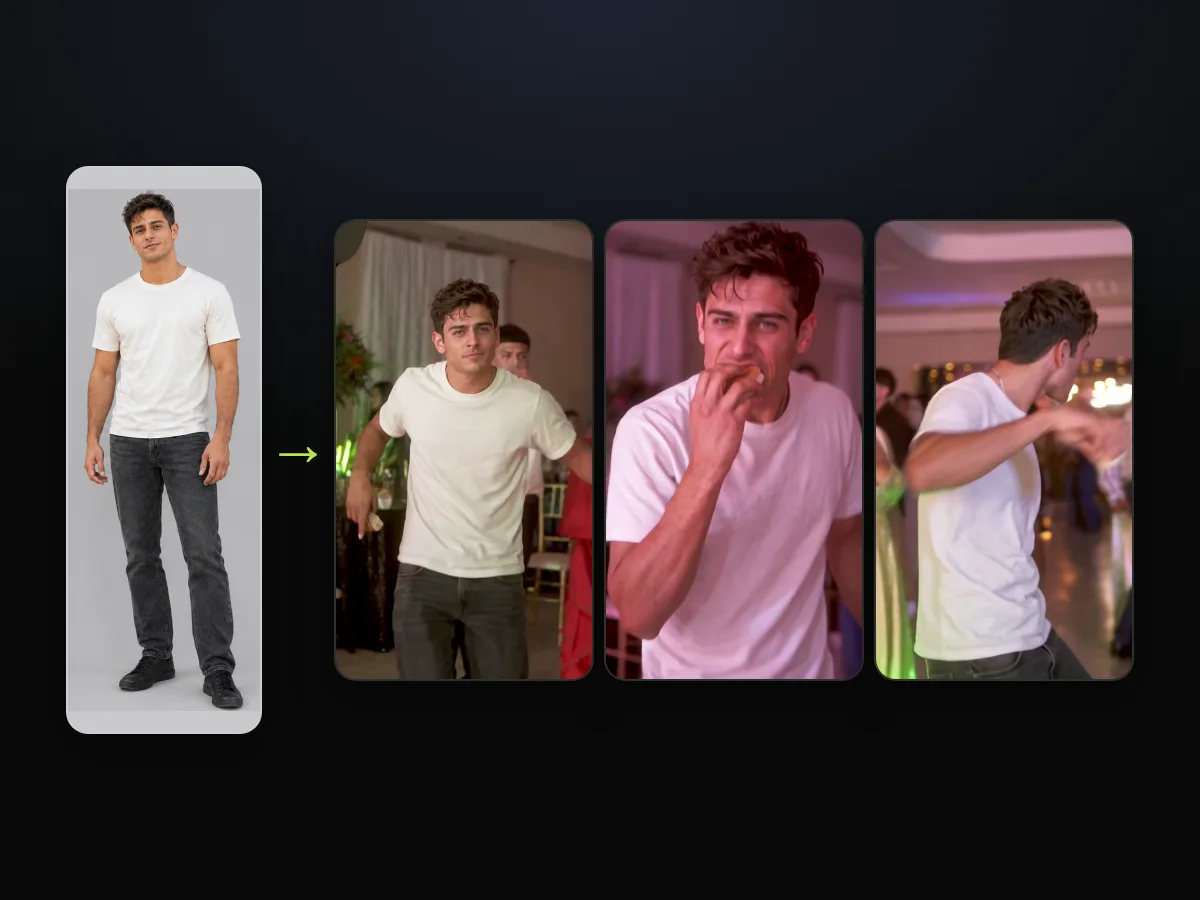
Skip the Prompt: Dime Dime Baby AI Runs It for You
The Dime Dime Baby AI prompt goes out with every photo on our maker, so you never paste anything.
- Add one photo: You add a single photo of yourself, a friend or a relative, each 18 or older, or of a character.
- Pick a quality: You pick 480p, 720p or 1080p right in your web browser.
- Tap Create: You leave the box ticked, which confirms you can use the photo and anyone in it is 18 or older. Then you start your video without opening an account.
You pay $9.90 for one 720p video on our Dime Dime Baby AI maker, and you don't need to register an account. You can see every credit pack on our pricing page.
If you'd like a visual walkthrough of the flow, read the three taps, with screenshots.
If you've run into errors in other apps, you can check the CapCut template route for fixes.

What the Dime Dime Baby AI Prompt Needs Beside It
The Dime Dime Baby AI prompt works only next to three things: the clip, your photo and a tool that edits a video you upload.
- A video-edit tool: You'll need software that takes an uploaded base clip alongside a reference photo and changes the footage.
- The clip: You'll need the first 9 seconds of the original footage, framed vertically at 9:16, from the 2025 original on TikTok.
- Your photo: You'll need one clear photo of one person, 18 or older, or one character to fill the role of @Image 1.
- The sound: The edit prompt handles video frames only. So our maker lays the trend's "dime dime baby" sound under the video after the edit, from the first second.
For a broader view of other options, there's our guide comparing ten Dime Dime Baby AI tools, sorted by what they make.
Why the Dime Dime Baby AI Prompt Is Written This Way
Every choice in the Dime Dime Baby AI prompt points the edit at one dancer and leaves the rest alone.
- No names: The prompt describes how the dancer looks. It doesn't use names, handles, song titles or meme references, so the dancer is picked out only by what you can see.
- His clothes, listed: The prompt lists the black polo shirt, its white lettering and logos and the silver necklace. Then it says the new dancer doesn't wear them unless your photo shows them.
- The bun stays: The text calls the concha a "round sweet bun". It also tells the tool to keep "each bite of the bun and the chewing".
- Guests by what they wear: The prompt names the guests by their clothes, like the long ivory gown or the white shirt with the clear cup. And it keeps each of them with their own face.
- The last line: The final line rules out captions and any text on screen, and nothing is written on the video you get.
To explore how the background footage came to be, read about the 2025 clip this prompt edits.
You can also read our breakdown of every name the meme goes by.
Dime Dime Baby AI Prompt: Your Questions
The Dime Dime Baby AI prompt raises a few common questions, and here's a short answer to each.
What does @Image 1 mean in the Dime Dime Baby AI prompt?
The @Image 1 tag stands for the photo you upload. The editor takes the new dancer's look from that photo, and it applies the changes to the clip.
Why doesn't the prompt name the Bby Wow guy?
The prompt describes the dancer by what's on screen instead of using names. It leaves out song names, personal accounts and meme labels, so the only cues it gives are visual ones.
Why does the prompt call the concha a "round sweet bun"?
The prompt describes the bread by how it looks, not by the name concha. It also tells the editor to keep "each bite of the bun and the chewing" just as they are in the clip.
Will the prompt keep my own outfit?
Yes, the prompt keeps your own outfit: it takes the whole outfit from @Image 1 and puts it on the dancer. The black polo shirt, its lettering and the chain don't carry over unless your photo shows them.
How long is the Dime Dime Baby AI prompt?
The Dime Dime Baby AI prompt runs 260 words and 1,417 characters across five sentences. The keep list alone is 129 words, and the no-text line brings it to 135, more than half the prompt. So most of it's about what has to stay the same.
Let Our Dime Dime Baby AI Maker Handle the Prompt
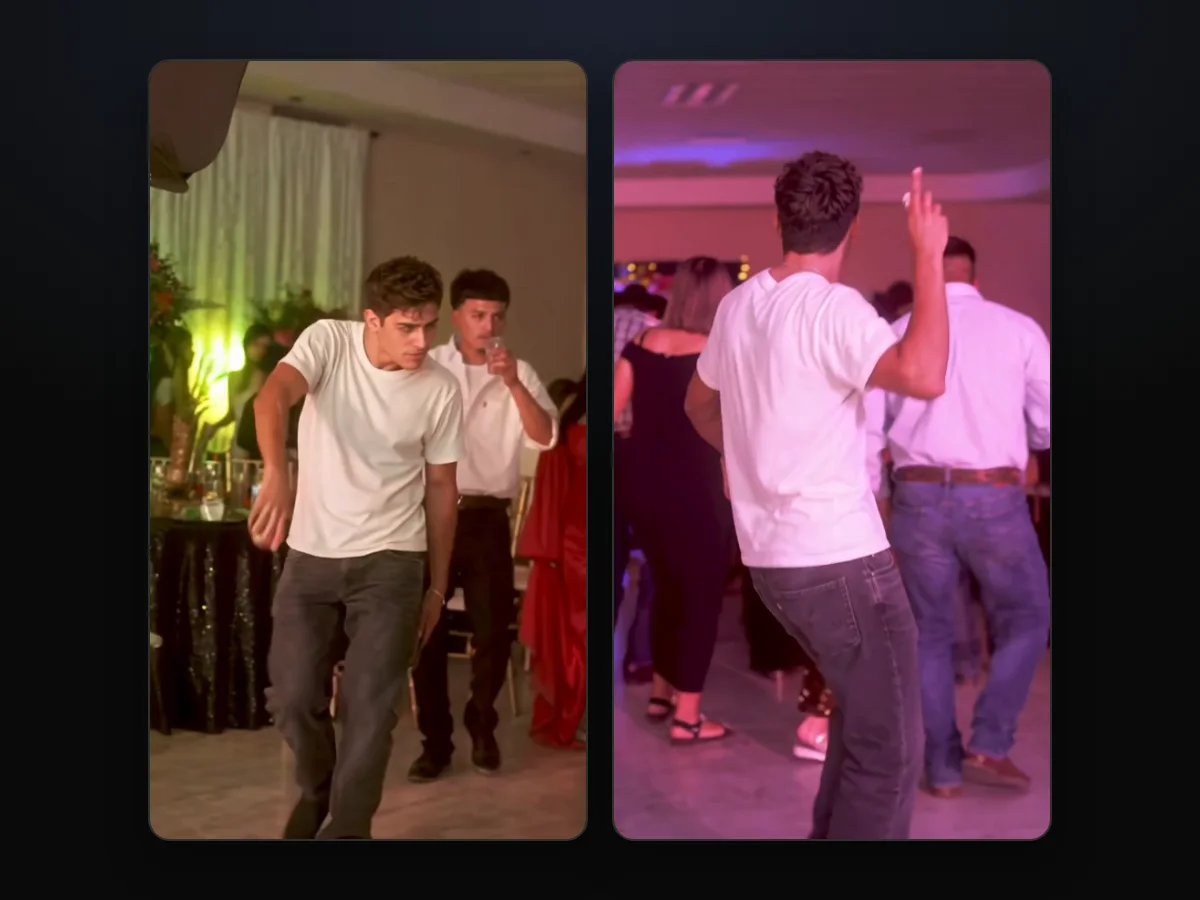
Our Dime Dime Baby AI maker runs all 260 words and five sentences for you, keeping the party hall, the guests and the dance moves. When you make a Dime Dime Baby AI video, one photo handles the whole swap for $9.90 at 720p. You don't paste anything, you keep your own outfit, and you get a 9-second clip that's ready for TikTok and Reels.
Written by the Dime Dime Baby AI Team. The prompt in this guide is the one our maker runs, and the man in our sample is an AI-made adult.
Related Articles
- How to Make a Dime Dime Baby AI Video Starring You or a Friend — the three taps on one page, from the photo to the MP4
- Dime Dime Baby AI Trend: The Party Clip That Went Viral Twice — the 2025 party clip, the October 2026 AI wave and the dates in between
- Dime Dime Baby Meaning: The Lyric, the Bby Wow Guy and the Meme — what the words mean and every name the meme goes by
- Dime Dime Baby CapCut Template Not Working? 6 Fixes — what to do when the CapCut route stalls, asks to pay or opens the wrong edit
- Dime Dime Baby AI Generators Compared: Which Keep the Real Party? — ten tools sorted by what you get back


