
How to Make a Dime Dime Baby AI Video Starring You or a Friend
How to make a Dime Dime Baby AI video: one photo of you or a friend, the original party clip with the trend's sound, three taps, $9.90 for 720p, no account
 Dime Dime Baby AI Team13 min read
The Dime Dime Baby AI team: we watch every dime dime baby clip we write about, date every view count we quote, and show the trend with videos made on our own generator.

TL;DR — A Dime Dime Baby AI Video for TikTok and Reels takes 1 photo of whoever takes the Bby Wow guy's spot and 3 taps in your browser. You get back 9 seconds in 9:16 inside the original 2025 party hall with the trend's "dime dime baby" sound as your person walks up, bites the concha, stares and dances away. One 720p video is $9.90, paid once with no account and nothing to install.
Commenters under trend clips keep asking the same two things: "Alguien me lo hace con mi foto" (Spanish for "can someone make it for me with my photo") and "bro me puedes hacer uno igual ?" (Spanish for "bro, can you make me one just like it?").
Most tutorials answer with a CapCut template (a ready-made edit inside the CapCut app with a slot for your photo). That includes the most-watched how-to video of the trend. The how-to video most people learned from passed 3.5 million views, so plenty of people have already tried the CapCut route.
The original party clip and the trend's sound already sit ready inside our maker. You don't need to hunt down footage or edit clips together. The only thing you bring is the photo of the person you want to see walk into the room.
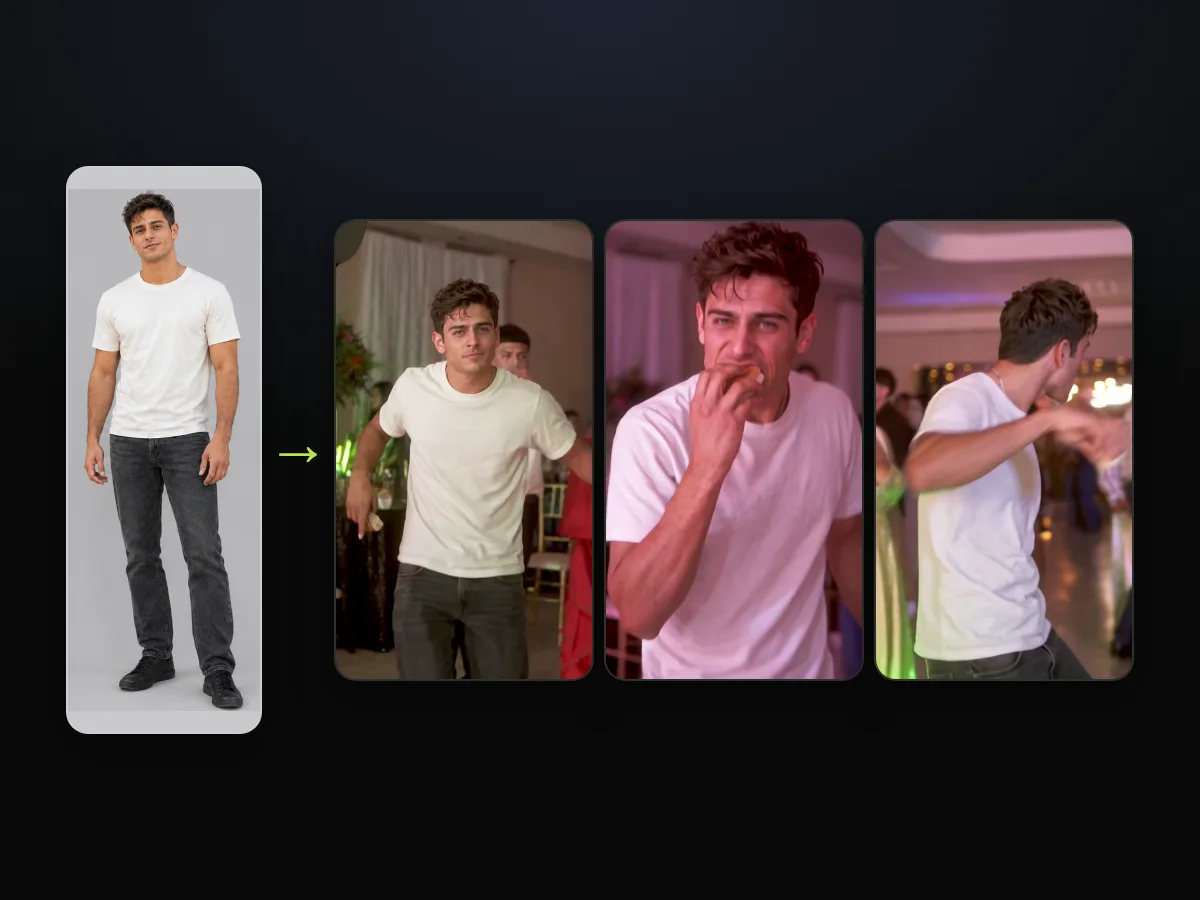
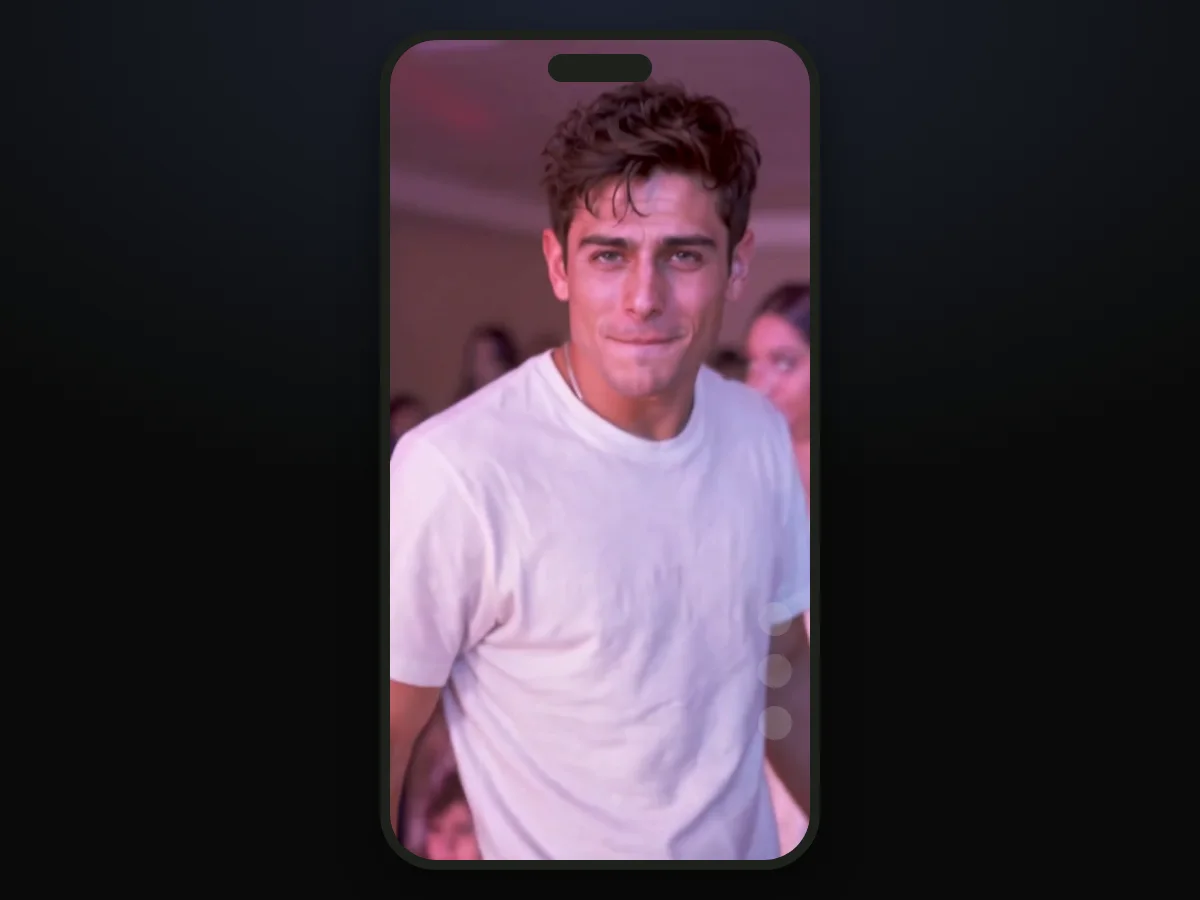
We built our own sample from a single photo of an AI-made adult man to test the full sequence. He takes the dancer's place, bites the concha on beat and heads back into the party crowd.
Here's what this guide covers:
- The cast: who can take the spot, and whose photo to use.
- The three taps: photo, quality, Create.
- The beats: what your 9 seconds show, second by second.
- The post: the caption and the tag.
Making a Dime Dime Baby AI Video Takes One Photo and Three Taps
A Dime Dime Baby AI video takes one photo and three taps in a web browser. You don't have to download software or manage editing layers. The three taps all happen on one screen.
Here's what you bring, what sits ready on our page and what comes back to you:
- The photo you bring: one person or one character who will step into the party clip.
- What's already inside: the first 9 seconds of the original clip, framed 9:16 (the tall frame TikTok and Reels use), and the trend's sound.
- What you get back: a 9-second MP4 with no watermark and nothing written on it.
To start, open our Dime Dime Baby AI maker, add the photo, pick your quality and tap Create.

Pick Who Walks In for Your Dime Dime Baby AI Video
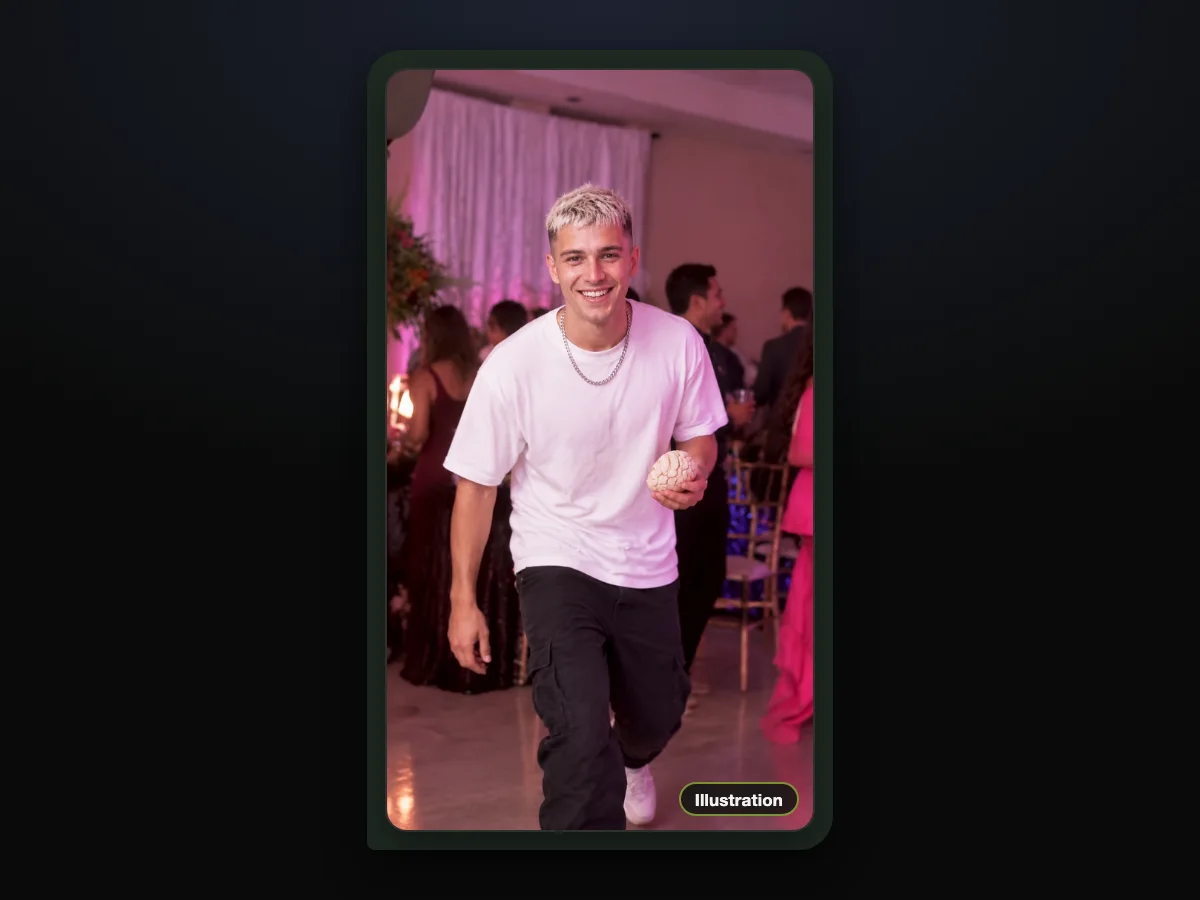
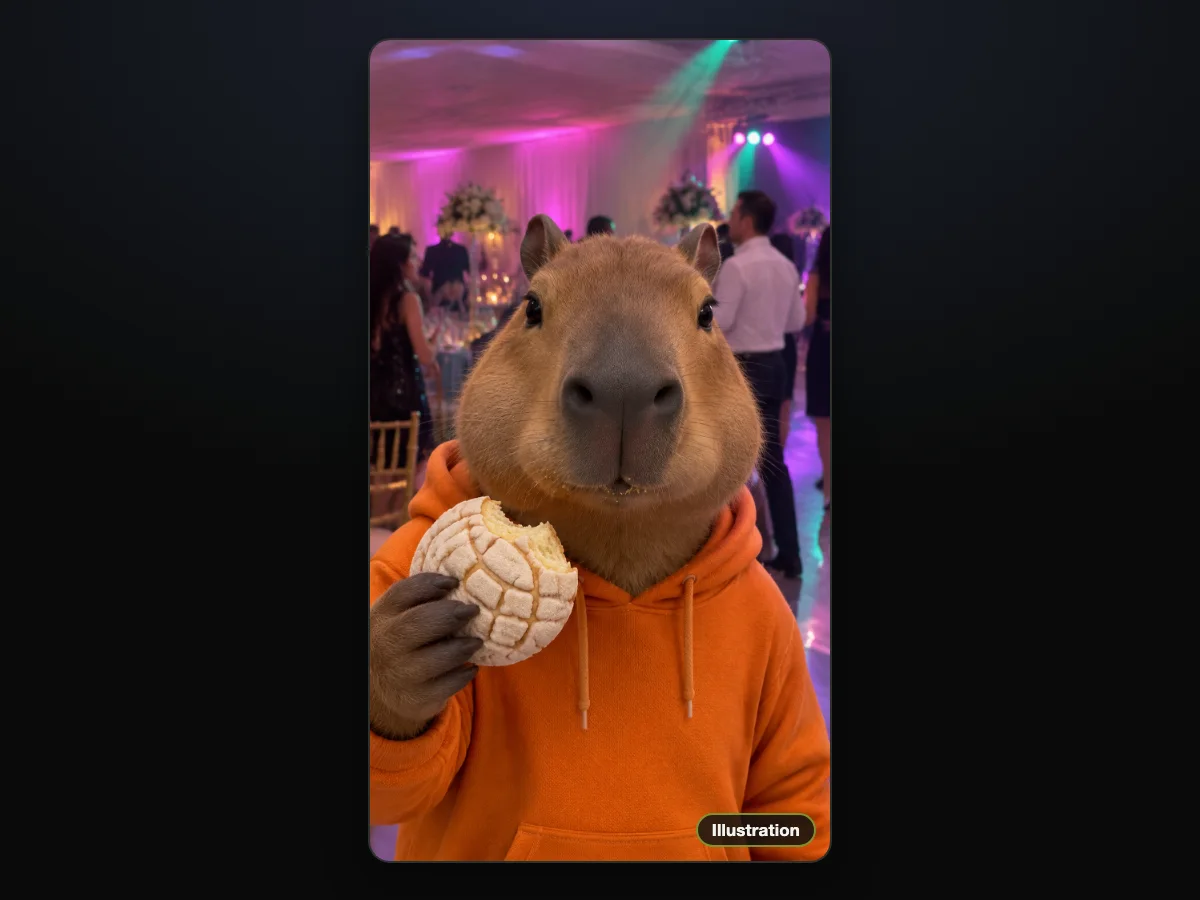
Anyone you have a clear photo of can walk in, as long as a real person is 18 or older, and so can a cartoon, game or AI-made character. You can pick anyone whose entrance will make your group chat laugh.
The maker handles several fun ideas depending on where you plan to share your clip:
- The friend who always gets tagged: crown the friend who always gets tagged under these videos by putting them in the Bby Wow guy's spot.
- Your tío or your cousin: hype up the next quince (short for quinceañera, a girl's 15th-birthday party) or wedding with your tío, your cousin or yourself.
- A character: post a surprise character walk-in on a meme page to shock your followers with an unexpected dancer.
- You: put your own take on your own feed and take over the spotlight.
The outfit in the photo is the outfit in the video, start to finish, so the clothes are part of the joke. Pick a picture where what they wear matches the vibe you want.
Dime Dime Baby AI Video in Three Taps: Photo, Quality, Create
All three taps happen on one page, in this order. You won't have to jump across separate screens or look through complex menus.
Step 1: Add the Photo of Whoever Walks In
Open the Dime Dime Baby AI maker and tap the photo box to pick one photo from your camera roll. A clear shot showing one person facing forward in good light works best.
The tick box under the photo is already ticked when you arrive. It confirms you've got the right to use the picture and that any person in it is 18 or older.

Step 2: Choose 480p, 720p or 1080p
The page opens on 480p; tap the quality you want. Every choice gives the same 9 seconds in 9:16. The Create button shows the price for your choice before you pay.

Step 3: Tap Create
Tap Create to begin making your clip. You don't need an account because you pay once as a guest, and the video starts on the same page.

Paying is simple because the $9.90 pack covers one 720p or one 480p video. If you want to make several videos, you can look over every credit pack to pick the balance you need.
Finding your video again is straightforward. After you pay, we email the address you paid with. Open the link in that email on another device and sign in, and you'll find your videos there when you switch from your computer to your phone.
To save the file, download it to your phone or computer. The finished MP4 has the sound already in it, and there's no watermark across your footage.
Choose a Photo That Carries Your Dime Dime Baby AI Video
The photo that works best shows one person or one character, face clear and toward the camera, in good light, full body if you have one. That's because the photo sets the face, the hair, the build and the whole outfit your person keeps from the first frame to the last.
Keep these guidelines in mind when you look through your camera roll:
- Frame one person: pick a photo with a single subject, since our maker takes one person or one character per photo.
- Show the face: pick a shot where the subject faces forward with clear lighting across their features.
- Go full length: the build and the whole outfit come from the photo, so a head-to-toe shot works best.
- Dress the part: what they wear in the photo is what they wear in the video, so choose an outfit that adds to the fun.
We made our homepage sample from a single full-body photo of an AI-made adult man wearing a plain white T-shirt and dark jeans.
Your Dime Dime Baby AI Video, Beat by Beat
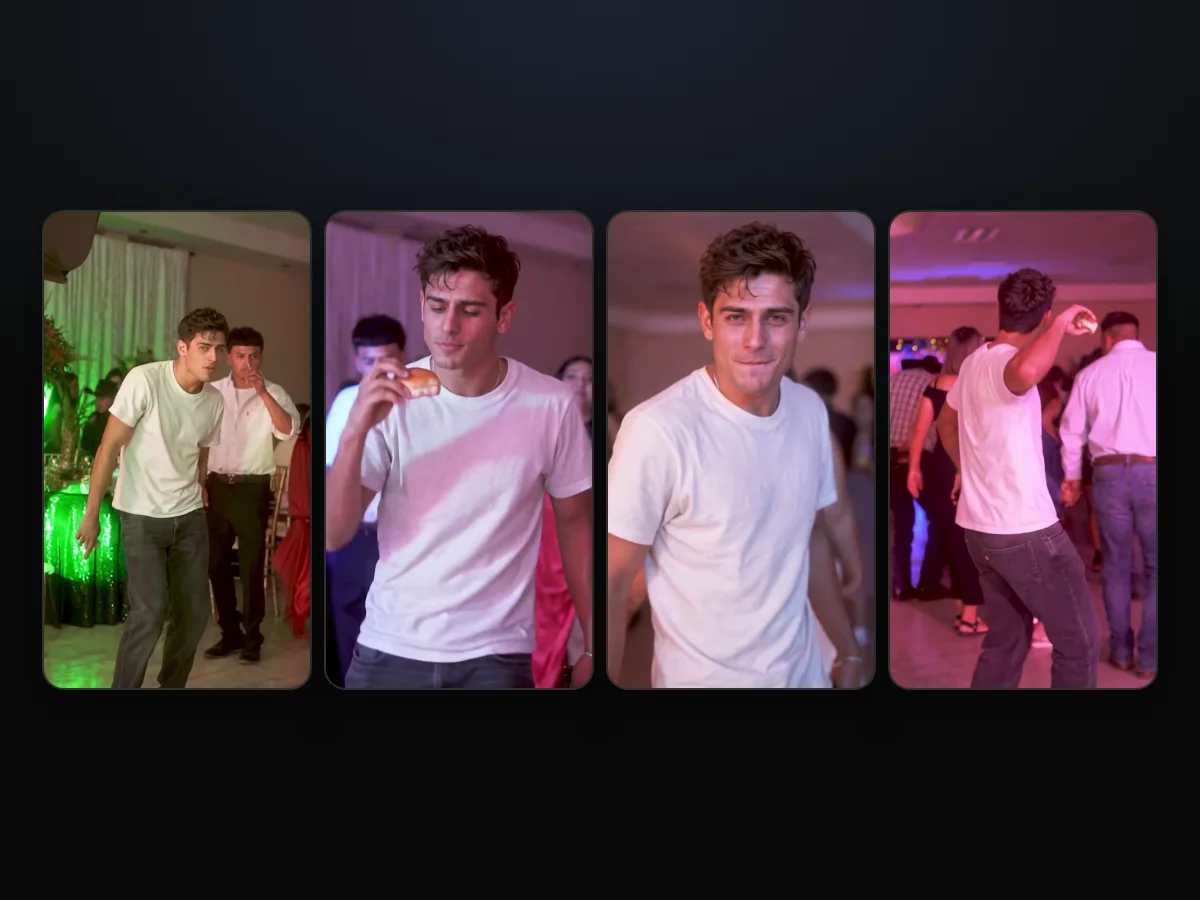
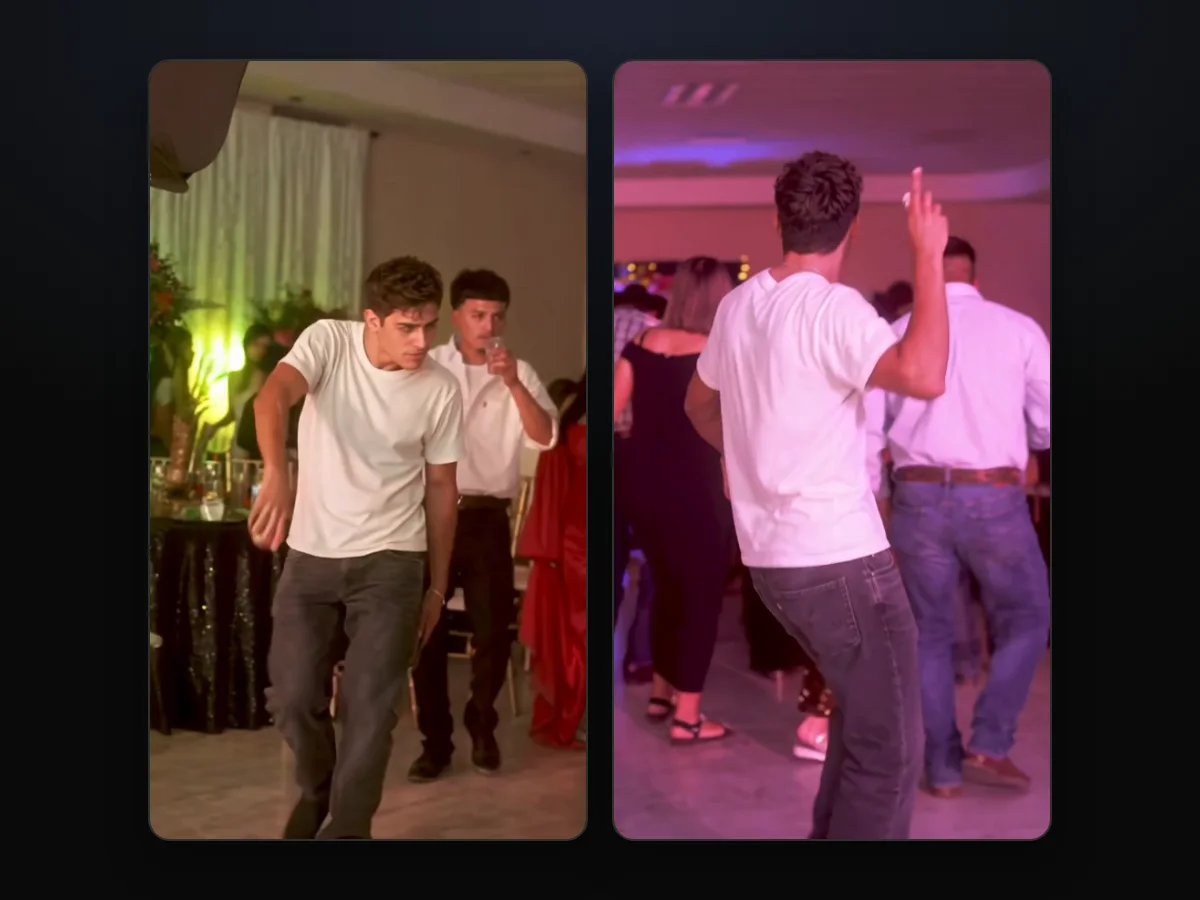
Your Dime Dime Baby AI video runs the first 9 seconds of the 2025 clip, and the person from your photo does every beat of it. The original is a real TikTok from July 2025 that has 7.7 million views: one wide, unbroken take at a Mexican party hall.
Here's what happens, second by second:
- Walk in: from about 0 to 2 seconds, your person walks toward the camera with a concha in hand.
- Bite: at about 3 seconds, they bite the concha right as the camera moves in close.
- Stare: from about 4 to 6 seconds, they chew while holding the deadpan stare straight into the lens.
- Dance away: at about 6 seconds they make their turn, and from about 6.5 to 9 seconds they dance away into the party crowd.
The guest with the clear cup, the woman in the red gown, the woman in the ivory gown and the older man in the white shirt all stay. So does the camera's path, and the sound runs from the first second.
If you want background on the original viral explosion, read why the clip went viral twice to see how the footage resurfaced.
You can also read what dime dime baby means to explore the song lyric behind the meme and why people call him the Bby Wow guy.
Posting Your Dime Dime Baby AI Video on TikTok and Reels
The file is a 9:16 MP4 with the sound already in it, so it goes straight into TikTok or Reels. You won't have to line up audio clips inside an external video editor.
Here's how to post it once your video is ready:
- The caption: nothing's written on the video, so your words go on top to set up the joke for your followers.
- The tag: tag the friend whose photo you used, the way commenters tag their friends by name under the trend's videos.
- The sound: the trend's "dime dime baby" sound is in the file from the first second, matching the audio everyone expects.
Dime Dime Baby AI vs the CapCut Template: What Each Gives You
The CapCut template and our maker both start from one photo, but they give back different videos. The template's own preview shows a different, purple-lit hall with other guests.
| CapCut template "dime dime baby" | Dime Dime Baby AI | What it means for you | |
|---|---|---|---|
| Where you make it | Inside the CapCut app | In your web browser | Nothing to install with ours |
| The party in the video | A different, purple-lit hall with other guests (its own preview) | The original 2025 party hall and its guests | You get the scene people recognize |
| Sound | The template page lists no music | The trend's "dime dime baby" sound from the first second | Nothing to add before you post |
| Paying | Commenters say it asks them to pay | The price shows on the Create button: $9.90 for 720p | You see the cost before you pay |
Template facts are from its CapCut page, read October 21, 2026.
Commenters say the template asks them to pay, and one wrote: "lo intente pero dice que hay que pagar" (Spanish for "I tried, but it says you have to pay").
We've put together a walkthrough for when the CapCut template stalls so you can fix common app errors.
You can also browse our breakdown of ten Dime Dime Baby AI generators compared to see which tools keep the real party hall.
If you'd rather build your own prompts in other software, check out the full Dime Dime Baby AI prompt for the exact wording.
Dime Dime Baby AI Video: Quick Answers Before You Start
Answers to common questions can help you decide how to make your clip before you spend credits.
Can I make a Dime Dime Baby AI video on my phone?
Yes, you can make a Dime Dime Baby AI video in the browser on any phone, tablet or computer, with nothing to download. You just open the site on mobile Safari or Chrome and start.
Do I have to film or dance anything myself?
No, you don't have to film or dance anything yourself because the moves, the camera and the timing come from the original clip. The maker only needs the single photo you upload.
Can I make one of my friend and send it to them?
Yes, you can make a video of your friend with their photo if they're 18 or older. Once it's ready, download the MP4 file and text it over or post it on your socials.
What happens to my credits if a video fails?
Credits stay protected because pressing Create holds the credits while making your clip, and they're spent only when the video is ready. A failed video gives them back automatically to your balance.
How do I open my video on another device?
To open your video on another device, use the link in the email we send to the address you paid with, then sign in. You can open that email on your phone, tap the link and download the MP4 file.
How much does a Dime Dime Baby AI video cost at each quality?
One 720p video is $9.90, and that same pack covers a 480p video as well. A 1080p video uses 1,480 credits, about $24.60 of the $39.90 pack of 2,400 credits, with the remaining credits kept in your balance. You'll see the full breakdown on our Dime Dime Baby AI pricing page.
Take the Bby Wow Guy's Spot in Your Next Post
Putting yourself or a friend into a Dime Dime Baby AI video for TikTok and Reels takes just one photo and three taps in your browser. You keep the original party hall, the concha bite, the deadpan stare and the trend's "dime dime baby" sound without editing anything yourself.
Head over and make a Dime Dime Baby AI video for $9.90 at 720p to share with your friends.
Written by the Dime Dime Baby AI Team. The sample in this guide is the video on our homepage, and the man in it is an AI-made adult.
Related Articles
- Dime Dime Baby AI Trend: The Party Clip That Went Viral Twice — the 2025 party clip, the October 2026 AI wave and the dates in between
- Dime Dime Baby Meaning: The Lyric, the Bby Wow Guy and the Meme — what the words mean and every name the meme goes by
- Dime Dime Baby CapCut Template Not Working? 6 Fixes — what to do when the CapCut route stalls, asks to pay or opens the wrong edit
- Dime Dime Baby AI Generators Compared: Which Keep the Real Party? — ten tools sorted by what you get back
- Dime Dime Baby AI Prompt Guide: The 260-Word Prompt, Line by Line — the full edit prompt our maker runs, one sentence at a time


